 Family recipes, preserved
Your family's handwritten recipes, kept forever.
Malva reads a photo of grandma's recipe card — smudges, shorthand and cursive and all — and turns it into a clean, structured, cook-from recipe you can search, scale, and share.
No spam, ever
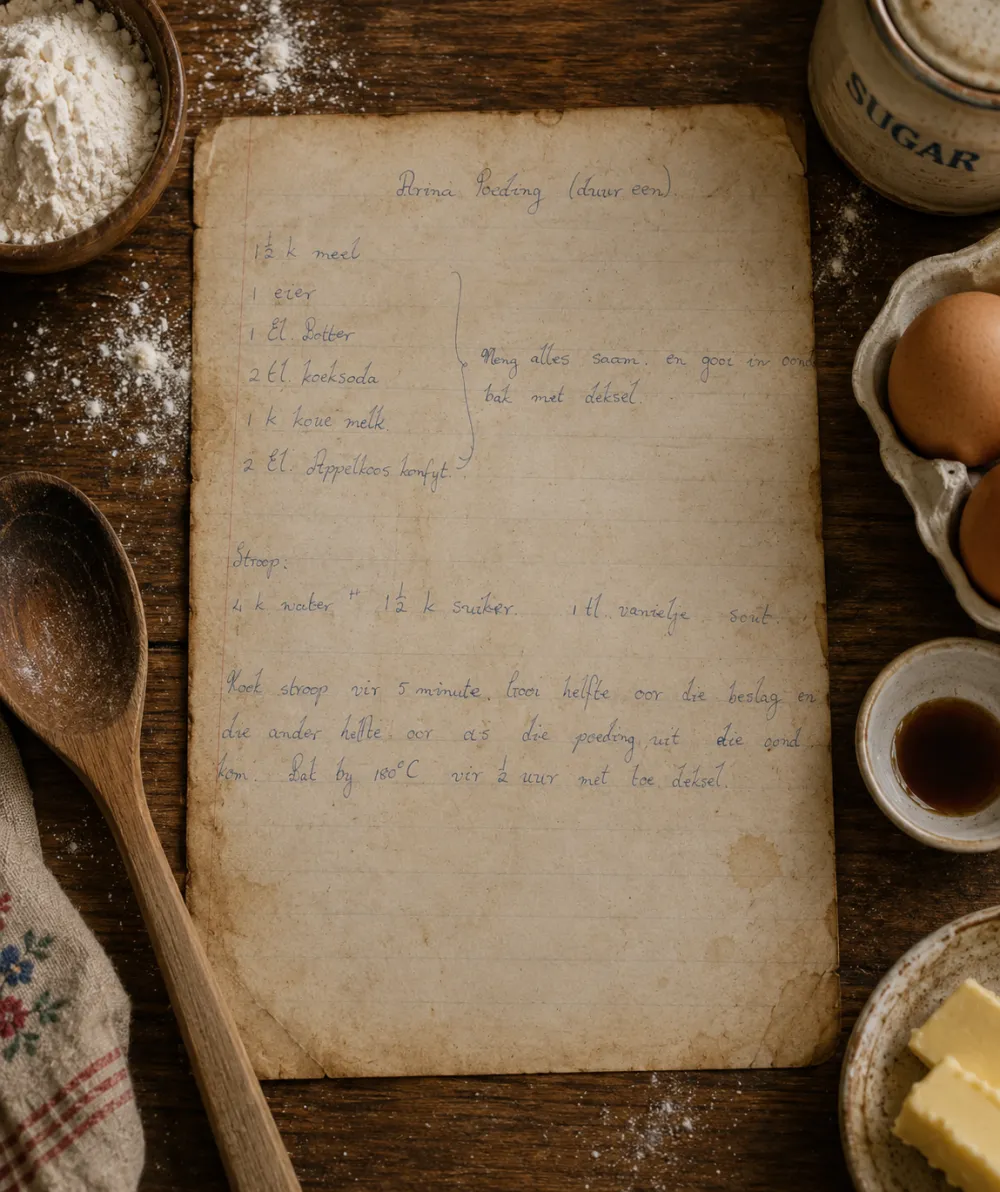
Takes this…a photo of grandma's card
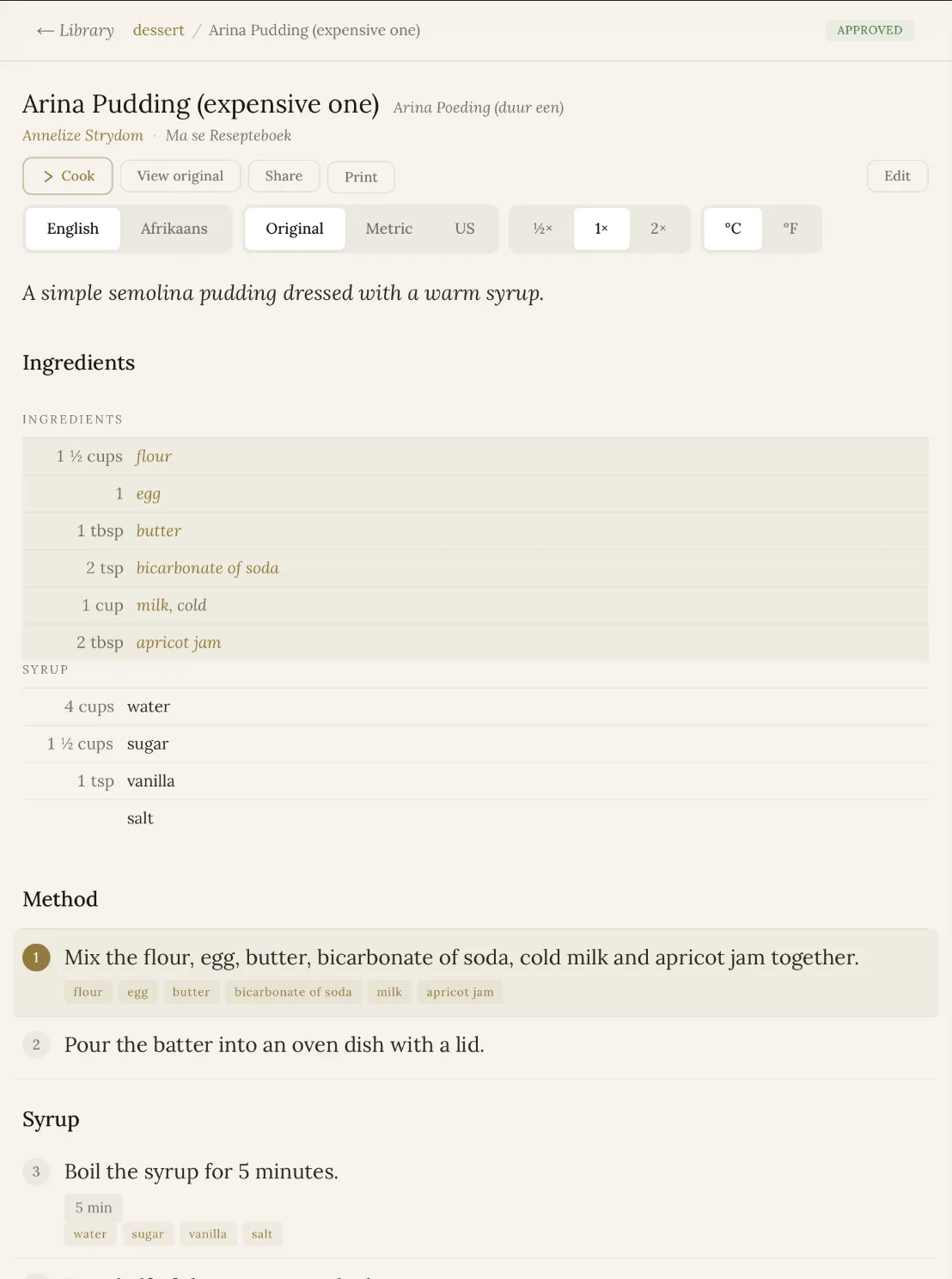
…and turns it into thisa clean recipe you can cook from
Three quiet steps, every single scan
Behind the warm cream surface, Malva does the careful work — so a lifetime of notebooks becomes a library you can actually use.
Word for word
Every recipe is read out in its original language, exactly as it was written — wonky measurements, abbreviations and all.
Into your language
Afrikaans, Dutch, or any other tongue is rendered into clean English alongside the original — nothing of the original is lost.
Into real structure
A single unbroken block of handwriting becomes a proper title, ingredient list and method — ready to read and cook from.
More than one way — pick whatever suits grandma
- Drag & drop existing scans, photos or PDFs — multi-page files and whole batches start processing the moment they land.
- Snap with your phone — open Malva in any mobile browser and photograph recipes wherever you find them.
- Bulk-scan with OneDrive — scan a whole notebook page by page and everything syncs straight in.
Blank pages, non-recipe photos and unreadable scans are filtered out automatically — and multi-page recipes are stitched back together for you.
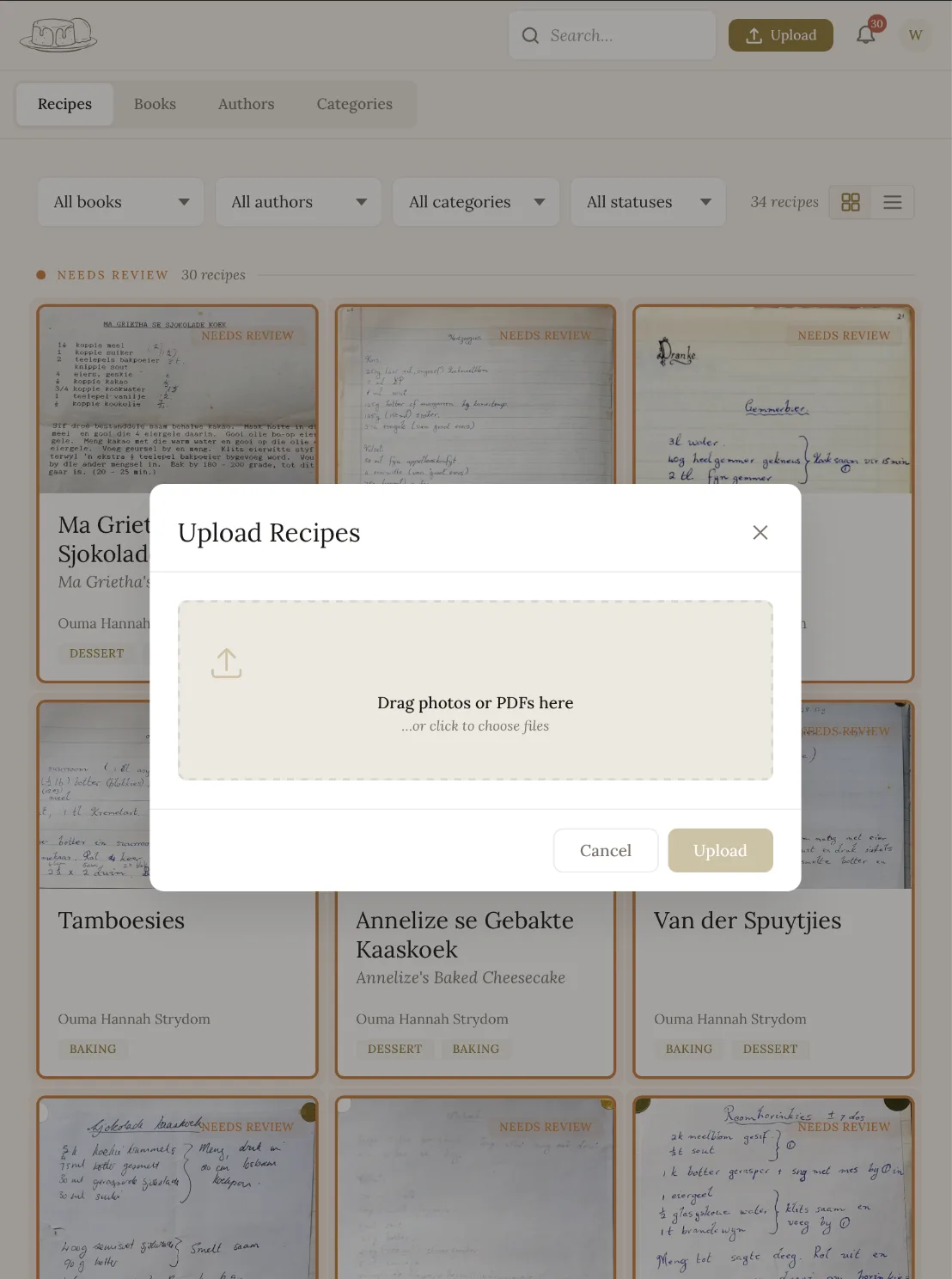
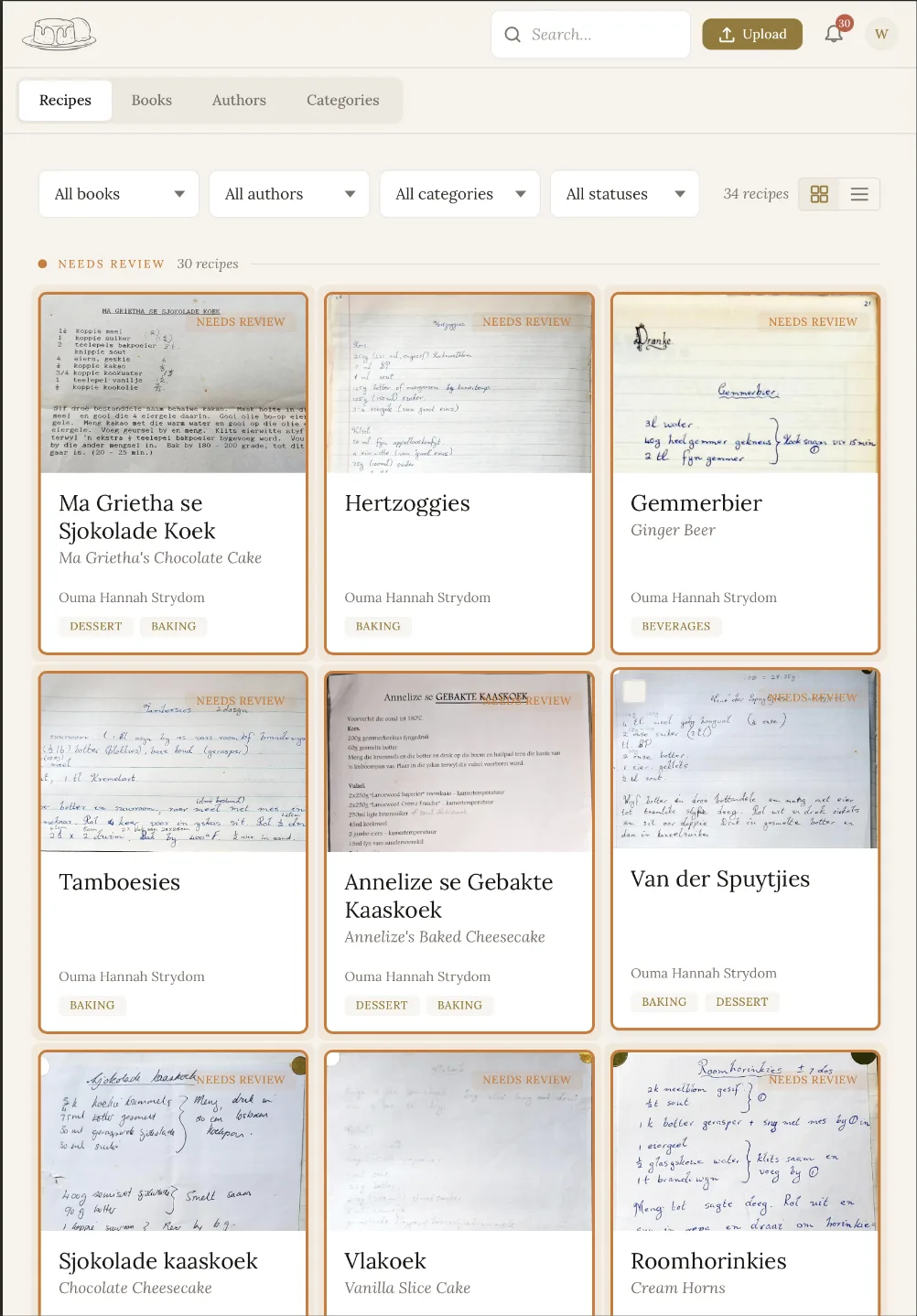
One Library, for the whole family
- Browse and filter by book, author and category — every recipe sits with the notebook and the person it came from.
- Search the entire library by name or ingredient in an instant.
- Bulk-select to assign books or authors, or archive in one go — with a gentle notification when fresh recipes are ready to review.
Malva adapts the recipe to you
Not the other way around. Flip the language, switch the units, scale the batch — the original is always one tap away.
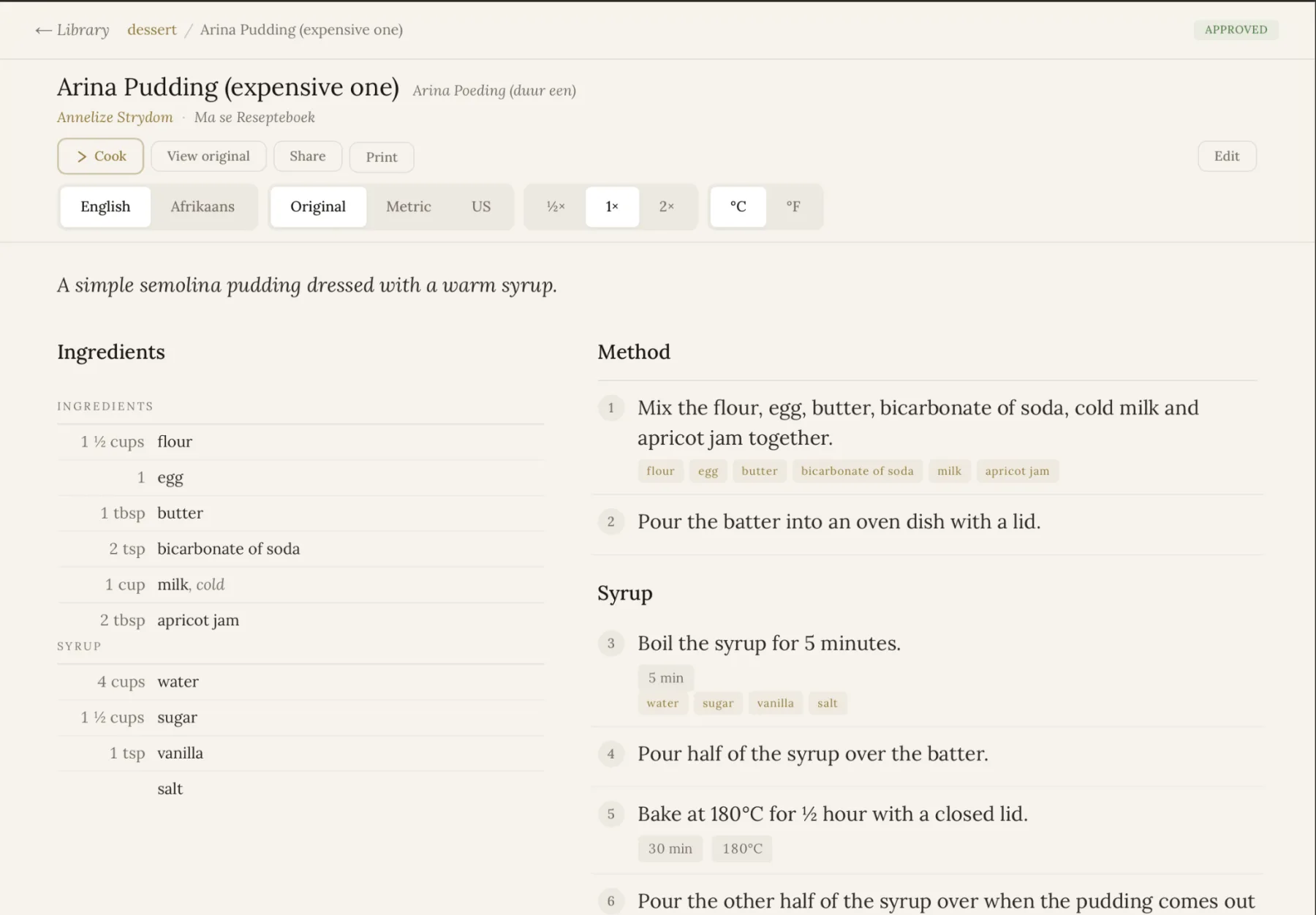
- 1Original ⇄ EnglishFlip between the recipe exactly as it was written and a clean English translation.
- 2Units & serving sizeSwitch between original, metric and US units, adjust temperatures, and scale up or down.
- 3Ingredients split from methodA clear, standard layout — even when the original was one jumbled block.
- 4The original, one tap awayThe handwritten photo is always there, so nothing is ever lost.
Malva gets you 95% there. Edit mode covers the rest.
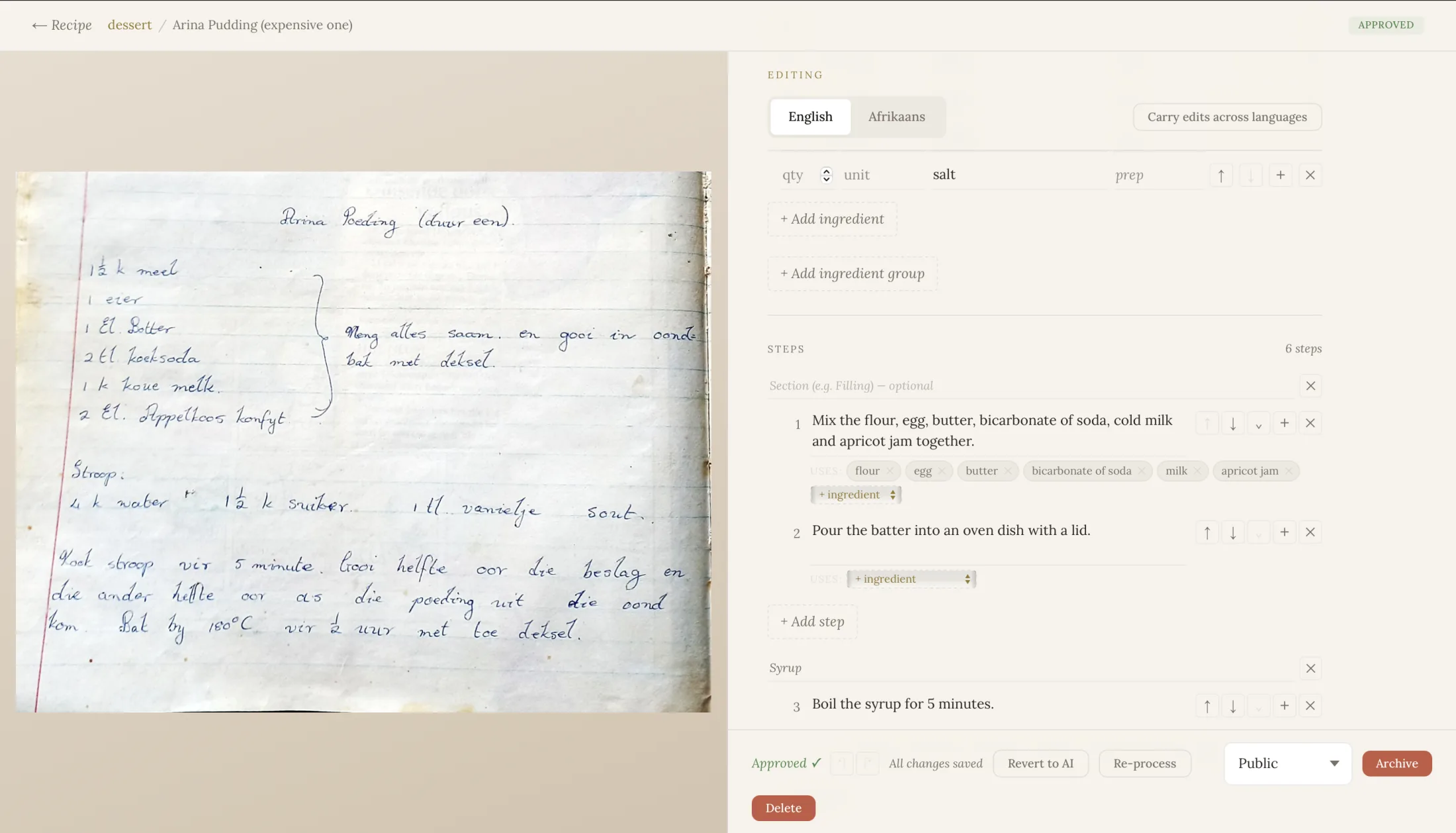
Title, description, ingredients and steps — delete, add, merge and reorder freely.
Fix the original and carry it to the translation, without redoing the whole thing.
Undo a slip, or revert to the original Malva output. Every recipe starts private — go public when you're ready.
For when you're actually in the kitchen
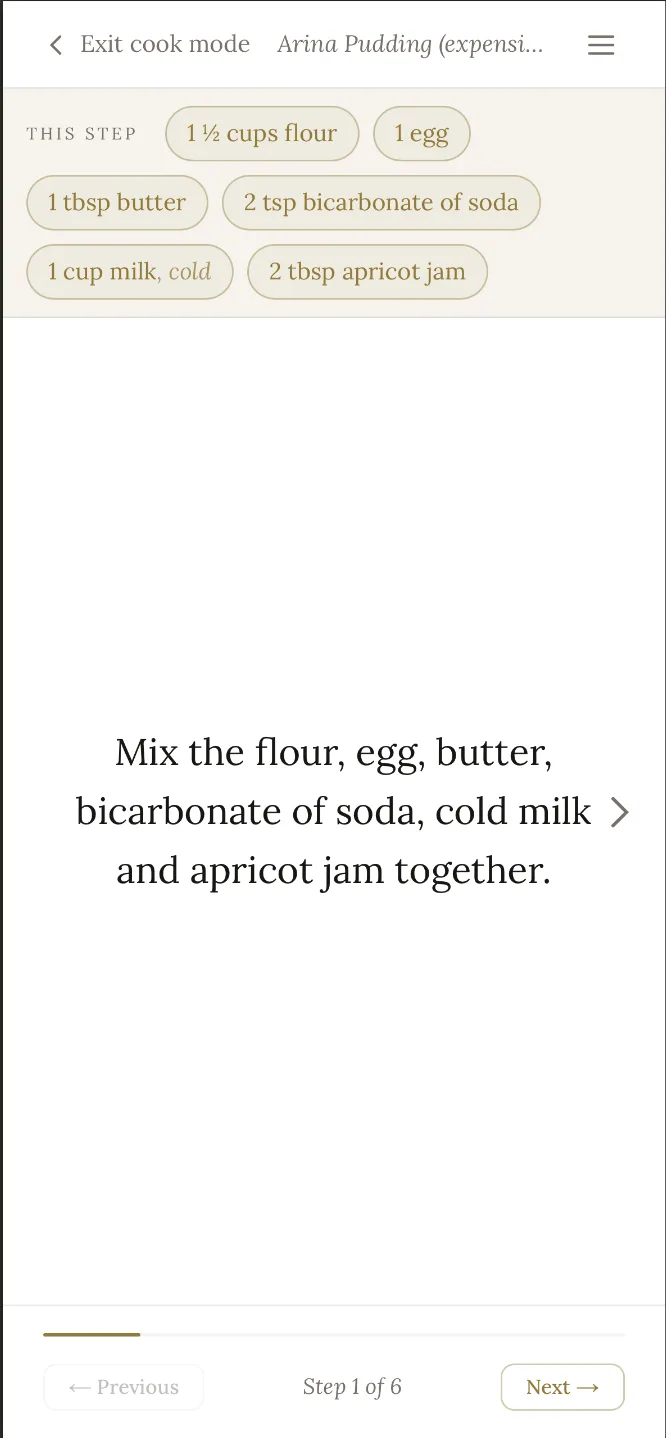
When it's time to cook, Malva shows the steps one at a time — each with just the ingredients that step needs. No scrolling back and forth with floury hands.
- One step on screen, with its linked ingredients right there.
- The screen stays awake the whole time you're cooking.
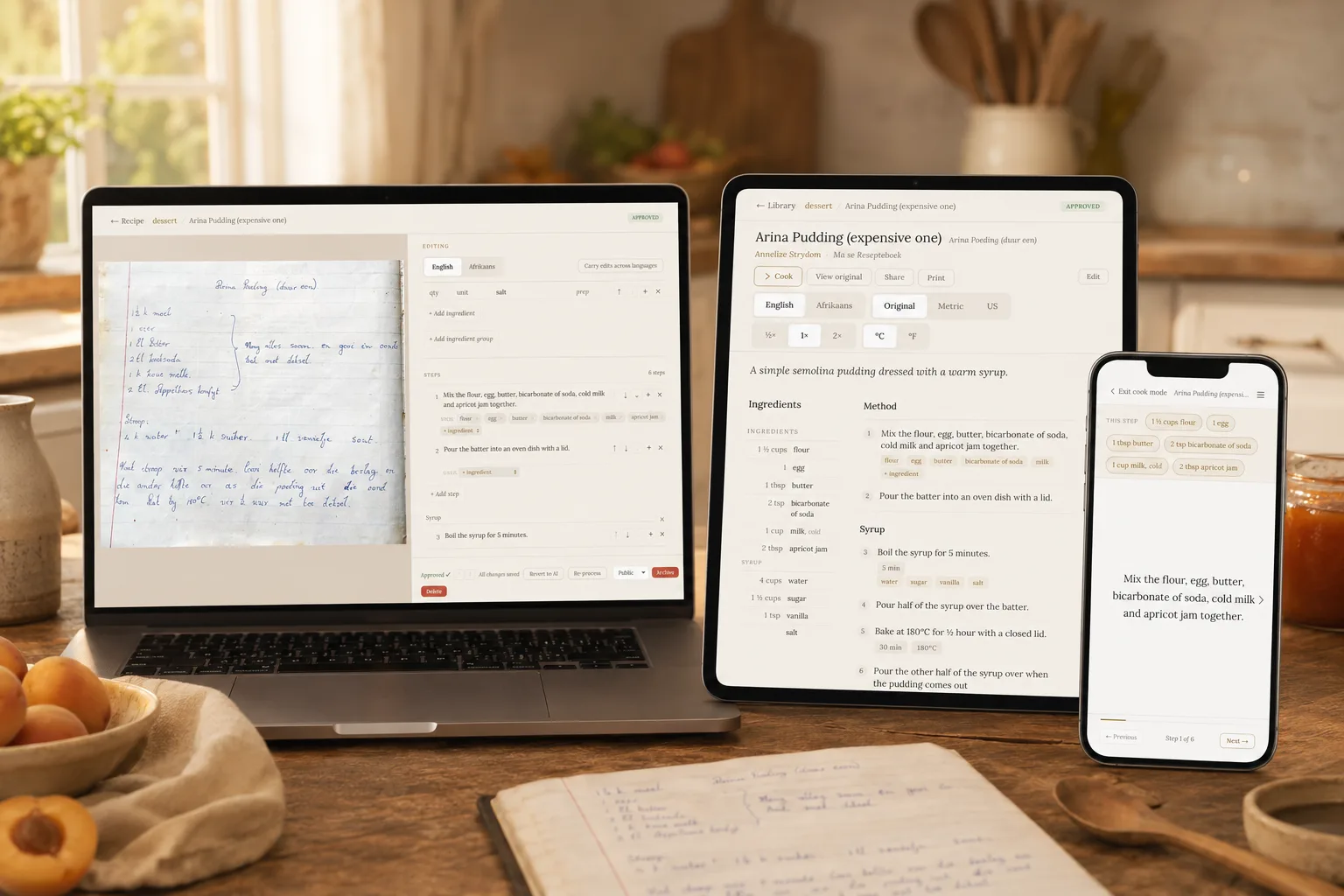
The same library, wherever you are
Scan from your phone in the pantry, review on a tablet at the kitchen table, organise on your laptop on the couch. Any browser, always in sync.
Everyone does the part they're good at
Invite as many family members as you like, all working from one shared library. The recipes get preserved — and everyone gets to be part of it.
Grandmatakes the pictures
From her phone, or by scanning a whole notebook into OneDrive — the recipes she's kept for decades.
Momchecks each one
A quick look to make sure it came through right, fixing anything the AI didn't quite catch.
Youset it up & cook
Build the library, walk everyone through it — then cook from a lifetime of recipes that will never be lost again.
A family cookbook that finally lives forever
Join the waitlist and we'll send word the moment Malva opens its doors.